Italiano
 Inglese
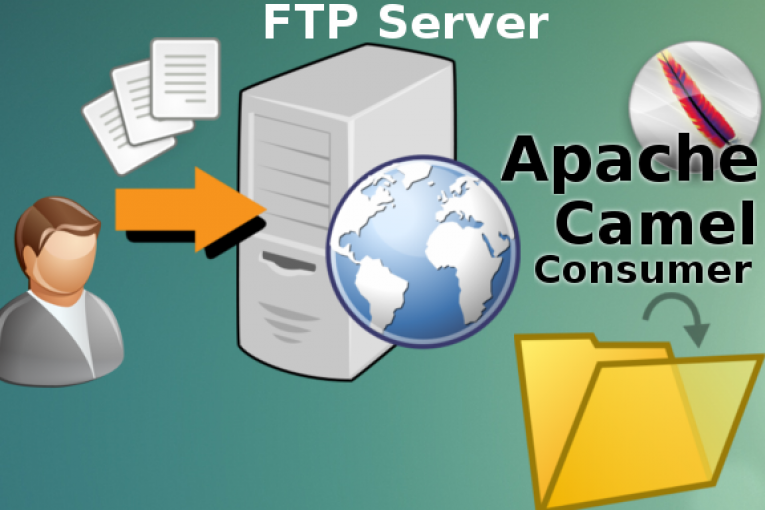
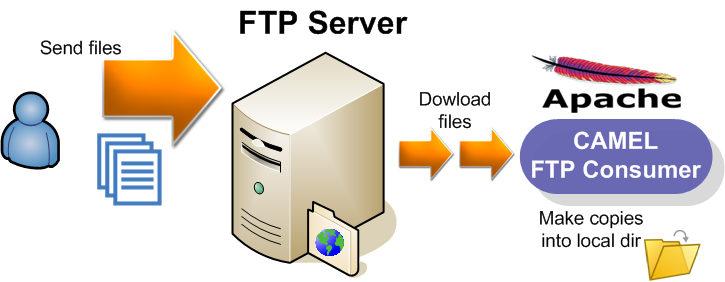
In questo articolo riporto un esempio di utilizzo di FTP Component di Apache Camel per l’accesso remoto a file system basato su protocollo FTP/SFTP/FTPS. La componente FTP è un’estensione di File Component e permette di inviare e ricevere file su un server FTP secondo il modello producer/consumer per lo scambio di messaggi tra sistemi eterogenei.
Stack
Apache Camel FTP 2.17.3
JDK 1.8
Maven 3.2
Il codice sorgente utilizzato in questo articolo si trova nella directory camel-ftp-consumer
Dipendenza FTP Component in pom.xml
<dependency>
	<groupId>org.apache.camel</groupId>
	<artifactId>camel-ftp</artifactId>
	<version>2.17.3</version>
</dependency>
ConsumerRouteBuilder.java
public class ConsumerRouteBuilder extends RouteBuilder {

 final static String FTP_HOST = rb.getString("consumer.ftp.host");
 final static String FTP_PORT = rb.getString("consumer.ftp.port");
 final static String FTP_USER = rb.getString("consumer.ftp.user");
 final static String FTP_PASSWORD = rb.getString("consumer.ftp.password");
 final static String FTP_PROTOCOL = rb.getString("consumer.ftp.protocol");
 final static String FTP_DIR = rb.getString("consumer.ftp.directoryName");
 final static String FTP_OPTIONS = rb.getString("consumer.ftp.options");

 public void configure() throws Exception {
   from(ftpUri+"&"+FTP_OPTIONS).to("file://"+DEST_FOLDER).log(LoggingLevel.INFO, "Processing ${id}");
   System.out.println("Camel FTP route initialized. Ready to receive Invoices from: " + ftpUri);
 }
}
CamelExecutor.java
public class CamelExecutor {

  private CamelContext camelCtx;
  public void init() throws Exception {
    camelCtx = new DefaultCamelContext();
    try {
        camelCtx.addRoutes(new ConsumerRouteBuilder());
        camelCtx.start();

        // Simulating a runtime environment of 30 seconds
        Thread.sleep(30000);
    }catch (Exception e) {
	System.out.println("Unable to initialize CamelContext: " + e);
	return;
    }
  }

}
Run test
$ mvn test