Italiano
 Inglese

Velocity è un progetto open source di Apache Software Foundation che definisce un template-engine per applicazioni web java-based. Velocity permette di referenziare, e quindi di utilizzare degli oggetti java, all’interno dei template che definiscono lo strato di presentation di un’applicazione web. Vediamo come integrare il framework messo a disposizione da Apache all’interno di un contesto Struts MVC. A tale scopo viene creato un progetto di esempio utilizzando l’IDE Eclipse.
STEP 1.
Avviare Eclipse e creare un nuovo progetto web dinamico (File >New >Dynamic Web Project)
STEP 2.
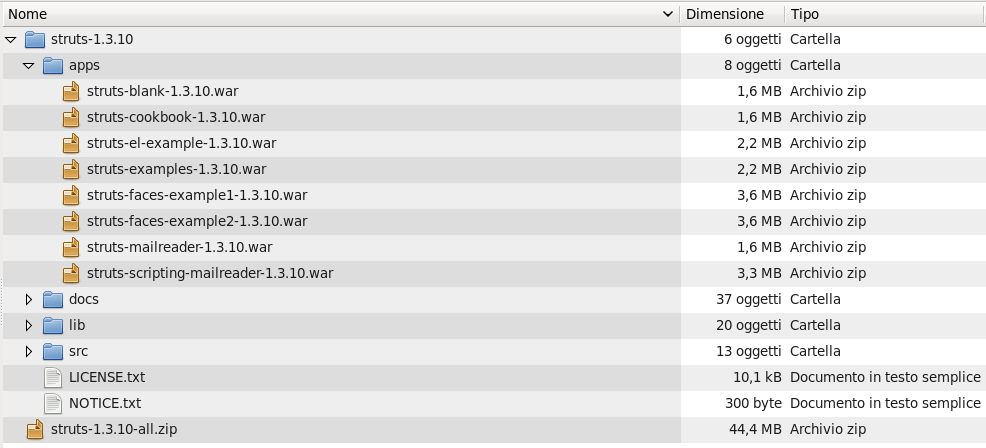
Scaricare e scompattare l’archivio Struts 1.3 : http://struts.apache.org/download.cgi
STEP 3.
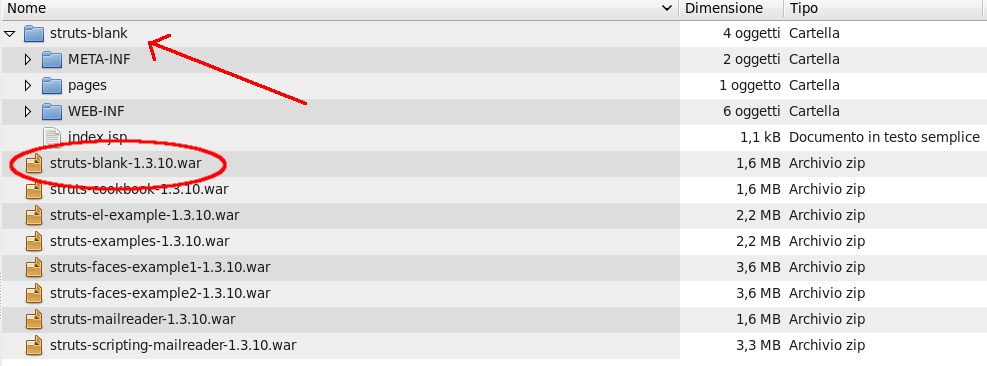
Scompattare il file war struts-blank
STEP4.
Copiare le librerie jar nel classpath del progetto
$ cp struts_unzipped/apps/struts-blank/WEB-INF/lib/* my_eclipse_project/WebContent/WEB-INF/lib
$ cp struts_unzipped/lib/struts-extras*.jar my_eclipse_project/WebContent/WEB-INF/lib
STEP 5.
Copiare i flle di configurazuione struts e validator nel progetto
$ cp struts_unzipped/apps/struts-blank/WEB-INF/struts-config.xml my_eclipse_project/WebContent/WEB-INF/
$ cp struts_unzipped/apps/struts-blank/WEB-INF/validation.xml my_eclipse_project/WebContent/WEB-INF/
STEP 6.
Scaricare e scompattare l’archivio velocity-tools : http://velocity.apache.org/download.cgi#Tools
STEP 7.
Copiare in WebContent/WEB-INF/lib le seguenti librerie:
– commons-collections-*.jar
– commons-lang-*.jar
– velocity-*.jar
– velocity-tools-*.jar
STEP 8.
Spostarsi sul progetto in Eclipse e cofigurare i seguenti file:
WebContent/WEB-INF/velocity.properties
#
#---------------------------
# VELOCITY PROPERTIES
#---------------------------
runtime.log.error.stacktrace = false
runtime.log.warn.stacktrace = false
runtime.log.info.stacktrace = false
runtime.log.invalid.reference = true
input.encoding=ISO-8859-1
output.encoding=ISO-8859-1

directive.foreach.counter.name = velocityCount
directive.foreach.counter.initial.value = 1
directive.include.output.errormsg.start = <!-- include error :
directive.include.output.errormsg.end   =  see error log -->
directive.parse.max.depth = 10

#velocimacro.library = /WEB-INF/velocity/template/VM_global_lib.vm
velocimacro.permissions.allow.inline = true
velocimacro.permissions.allow.inline.to.replace.global = false
velocimacro.permissions.allow.inline.local.scope = false
velocimacro.context.localscope = false
velocimacro.library.autoreload = true

runtime.interpolate.string.literals = true
resource.loader = webapp

webapp.resource.loader.description = Velocity WebApp Resource Loader
webapp.resource.loader.class = org.apache.velocity.tools.view.servlet.WebappLoader
webapp.resource.loader.path = /
webapp.resource.loader.cache = false
webapp.resource.loader.modificationCheckInterval = 0

tools.view.servlet.layout.directory = /template/
tools.view.servlet.layout.default.template =  layout.vm
WebContent/WEB-INF/template/layout.vm
<html>
<head>
<link rel="stylesheet" href="/css/my.css" media="all" type="text/css">
</head>
<body>
	<div align="center" >
	<table class="tabellaLayout" >
		<tr >
			<td ><div align="center" >#parse("/template/header.vm")</div> </td>
        </tr>
		<tr >
			<td ><div align="center">$screen_content</div></td>
        </tr>
		<tr >
			<td ><div align="center">#parse("/template/footer.vm")</div></td>
        </tr>
    </table>
	</div>
</body>
</html>
WebContent/WEB-INF/template/header.vm
<table >
	<tr >
		<td >MY HEADER</td>
    </tr>
</table>
WebContent/WEB-INF/template/footer.vm
<table >
	<tr >
		<td > MY FOOTER</td>
    </tr>
</table>
WebContent/WEB-INF/css/my.css
body {
	font-family: sans-serif;
	font-size: 16px;
	background-image:url("../images/sfondo.png");
	background-position: center;
	background-repeat: no-repeat;
}
table {
	width: 800px;
	font-size: 12px;
	border-collapse:separate;
	border: 1px;
	border-style: outset;
}
th {
	background : #D1D8FF;
	font-size: 12px;
}
td {
	font-size: 11px;
}
.tabellaLayout {
	height: 600px;
	width: 800px;
	font-size: 12px;
	border-collapse:separate;
	border: 1px;
	border-style: outset;
}
.tabellaElenco{
	width: 700px;
	font-size: 12px;
	border-collapse:separate;
	border: 1px;
	border-style: outset;
}
.titoloElenco {
	font-size: 14px;
	font-weight: bold;
	text-align: center;
}
.divFooter{
}
WebContent/WEB-INF/tools.xml
<?xml version="1.0"?>

<toolbox>
  <tool>
     <key>link</key>
     <scope>request</scope>
     <class>org.apache.velocity.tools.struts.StrutsLinkTool</class>
  </tool>
  <tool>
     <key>msg</key>
     <scope>request</scope>
     <class>org.apache.velocity.tools.struts.MessageTool</class>
  </tool>
  <tool>
     <key>errors</key>
     <scope>request</scope>
     <class>org.apache.velocity.tools.struts.ErrorsTool</class>
  </tool>
  <tool>
     <key>form</key>
     <scope>request</scope>
     <class>org.apache.velocity.tools.struts.FormTool</class>
  </tool>
  <tool>
     <key>tiles</key>
     <scope>request</scope>
     <class>org.apache.velocity.tools.struts.TilesTool</class>
  </tool>
  <tool>
     <key>validator</key>
     <scope>request</scope>
     <class>org.apache.velocity.tools.struts.ValidatorTool</class>
  </tool>
  <tool>
     <key>cookie</key>
     <scope>request</scope>
     <class>org.apache.velocity.tools.view.tools.CookieTool</class>
  </tool>
  <tool>
     <key>esc</key>
     <scope>application</scope>
     <class>org.apache.velocity.tools.generic.EscapeTool</class>
   </tool>
</toolbox>
STEP 9.
Modificare il file WebContent/WEB-INF/web.xml con le servlet di velocity:
<!-- Standard Action Servlet Configuration -->
  <servlet>
    <servlet-name>action</servlet-name>
    <servlet-class>org.apache.struts.action.ActionServlet</servlet-class>
    <init-param>
      <param-name>config</param-name>
      <param-value>/WEB-INF/struts-config.xml</param-value>
    </init-param>
    <load-on-startup>2</load-on-startup>
 </servlet>

<!-- Define Velocity template compiler -->
  <servlet>
    <servlet-name>velocity</servlet-name>
    <servlet-class>org.apache.velocity.tools.view.servlet.VelocityLayoutServlet</servlet-class>
  </servlet>

<!-- Map *.vm files to Velocity -->
  <servlet-mapping>
    <servlet-name>velocity</servlet-name>
    <url-pattern>*.vm</url-pattern>
  </servlet-mapping>
STEP 10.
Creare una pagina di test velocity, per esempio WebContent/velocityPage.vm:
#set($test="Congratulations! You are using the Apache Velocity template engine")
<h3>$!test<h3>
STEP 11.
Modificare WebContent/struts-config.xml
<?xml version="1.0" encoding="ISO-8859-1" ?>

<!DOCTYPE struts-config PUBLIC
          "-//Apache Software Foundation//DTD Struts Configuration 1.3//EN"
          "http://struts.apache.org/dtds/struts-config_1_3.dtd">

<struts-config>
	<action-mappings>
		<action path="/testVelocity" forward="/velocityPage.vm" />
	</action-mappings>
</struts-config>
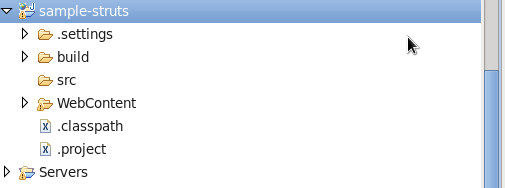
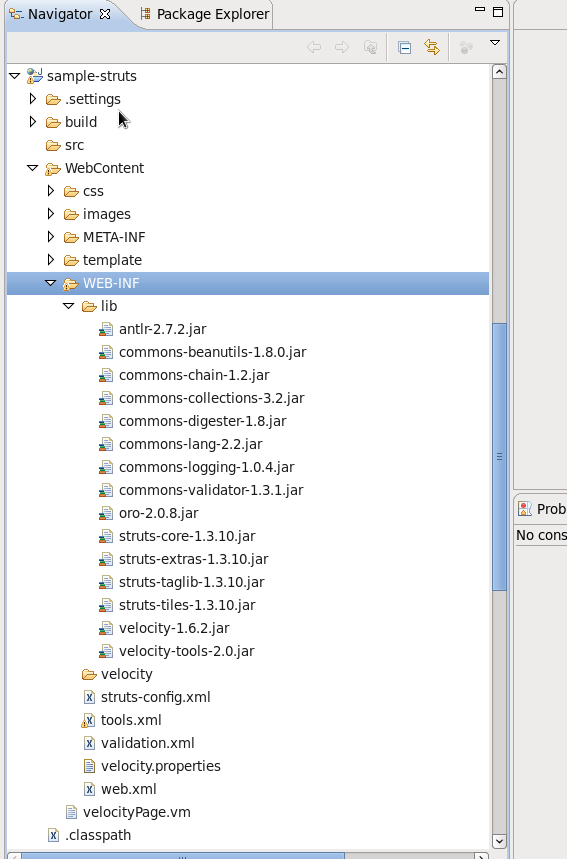
Ecco come dovrebbe apparire il layout del progetto
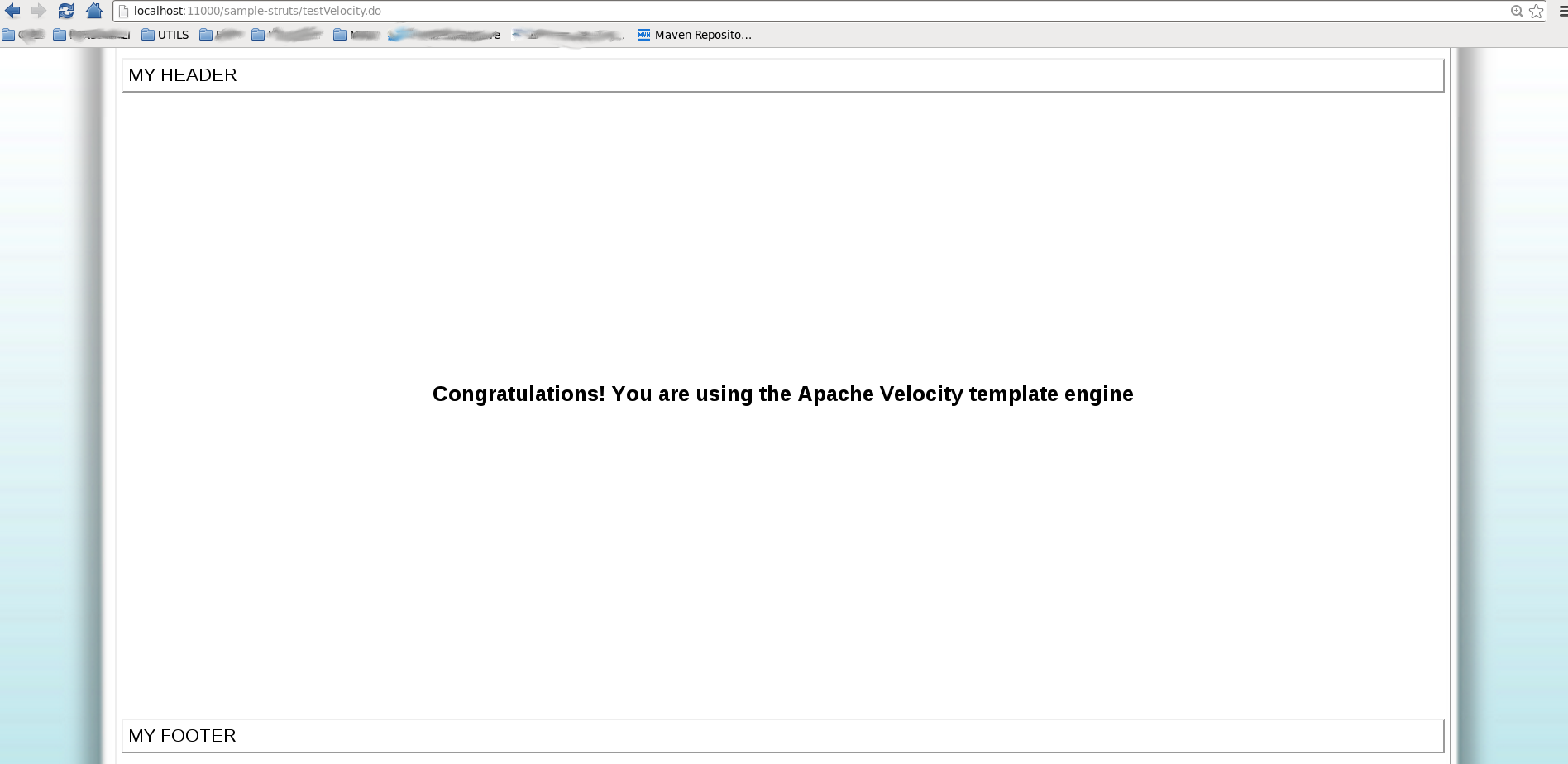
Avviare Tomcat e aprire sul browser l’url http://localhost:8080/sample-project/testVelocity.do